
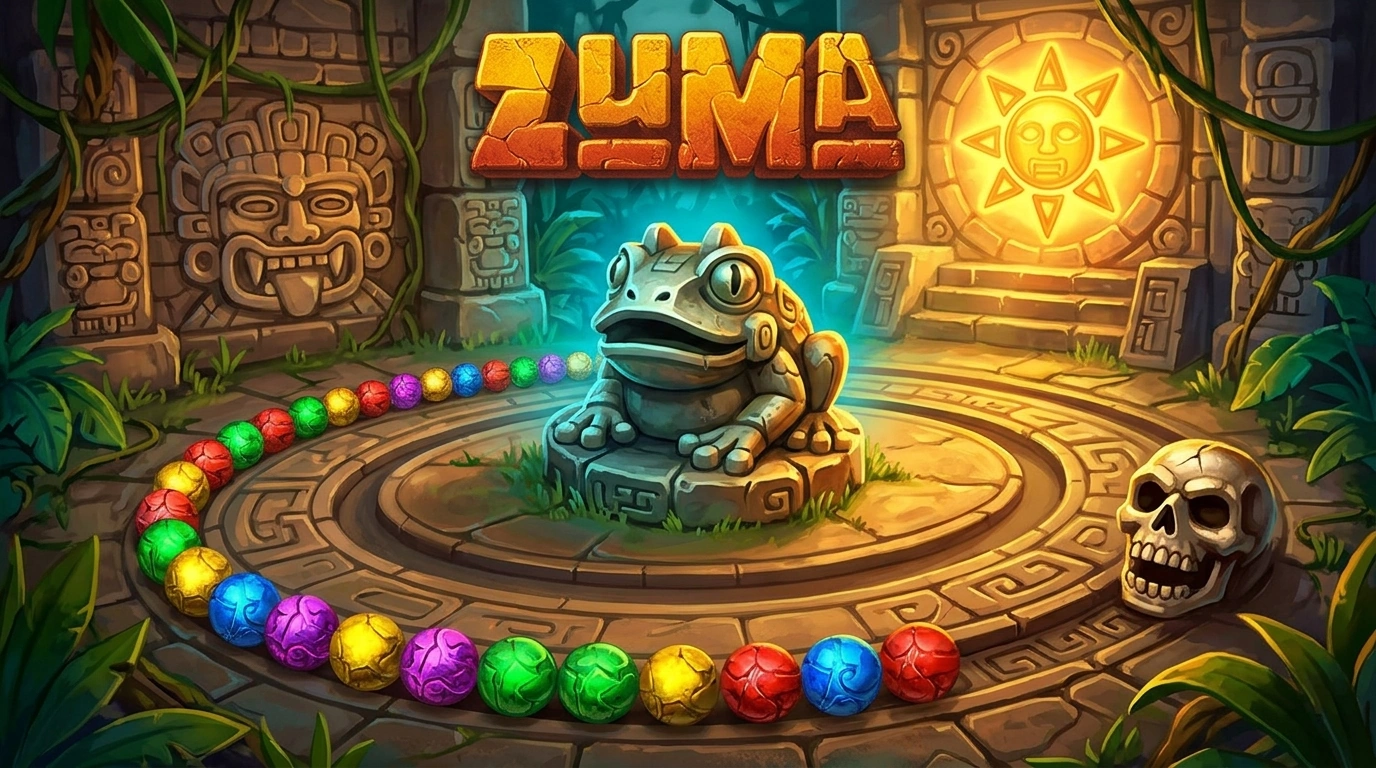
Remember the excitement of playing Zuma, the classic marble-shooting puzzle game that entertained millions of players? Now you can enjoy the same addictive gameplay directly in your browser, without installing Flash Player or downloading additional software.
Thank you for reading this post, don't forget to subscribe!Zuma Classic Game Online brings back the familiar experience of shooting colorful balls, matching three or more marbles, and stopping the moving chain before it reaches the skull-shaped entrance. Whether you played Zuma years ago or are discovering this legendary puzzle game for the first time, you can enjoy its timeless challenges on modern devices.
Play Zuma Online Without Flash Player
One of the biggest problems with classic browser games was the discontinuation of Adobe Flash Player. Many popular games became difficult to access when modern browsers stopped supporting Flash.
Fortunately, browser gaming has evolved. Modern web technologies, including HTML5, allow classic-style games to run directly in your browser without requiring Flash.
With Zuma online, you can:
- Play directly in your web browser.
- Enjoy the classic marble-shooting gameplay without Flash Player.
- Avoid installing additional browser plugins.
- Play on compatible desktop and mobile devices.
- Enjoy challenging puzzle levels whenever you have free time.
No complicated installation is necessary. Simply open the game page, start playing, and see how far you can progress.
What Is Zuma Classic?
Zuma is a popular marble-shooting puzzle game built around a simple but highly addictive idea. Players control a stone frog that shoots colored balls toward a continuously moving chain of marbles.
The objective is to create groups of at least three marbles of the same color. When you make a successful match, the balls disappear and you earn points.
However, there is a catch: the marble chain keeps moving along a winding track toward a dangerous skull-shaped destination. If the balls reach the end, the game is over.
This combination of strategy, precision, and quick reactions is what makes Zuma such an unforgettable classic.
How to Play Zuma Online
Getting started is easy, even if you have never played a marble shooter before.
1. Aim your frog
Move your mouse to aim the frog toward the marble chain. Choose the right position to create matching combinations.
2. Shoot colored marbles
Click the mouse button to launch a ball. Your goal is to hit a group of marbles with the same color.
3. Match three or more balls
Connect at least three marbles of the same color to eliminate them from the chain.
4. Create chain reactions
Look for opportunities to remove multiple groups and trigger chain reactions. These combinations can help you earn more points and clear the track faster.
5. Stop the marble chain
Keep shooting before the moving balls reach the skull. Clear the entire chain to complete the level.
Tips and Tricks to Get a Higher Score
Want to become better at Zuma? These simple strategies can help you survive longer and achieve better scores.
- Target larger groups: Matching several marbles at once can clear more of the track.
- Watch the next ball: Pay attention to the color of your next projectile and plan your shots ahead.
- Use gaps wisely: Sometimes removing a group creates an opportunity to connect two sections of the chain.
- Look for chain reactions: A well-placed shot can trigger additional matches and eliminate more marbles.
- Avoid unnecessary shots: Accuracy is more important than shooting as quickly as possible.
- Stay focused: The marble chain gets more challenging as you progress through the levels.
Why Is Zuma Still So Popular?
Even years after its original release, Zuma remains a recognizable name among fans of classic online games.
Its popularity comes from several important features:
Simple controls: Anyone can learn the basic mechanics in just a few seconds.
Challenging gameplay: Each level requires better timing, accuracy, and strategic thinking.
Colorful graphics: The bright marbles and distinctive frog character give the game its memorable appearance.
Quick entertainment: You can enjoy a short gaming session or spend more time trying to complete difficult levels.
Nostalgic experience: For many players, Zuma brings back memories of the golden age of browser gaming.
Can You Play Zuma Without Adobe Flash Player?
Yes, you can play modern browser versions of Zuma-style games without Adobe Flash Player.
Flash Player was officially discontinued in December 2020, and modern browsers no longer support it. However, HTML5 and other modern web technologies have made browser games accessible again without the old Flash plugin.
This means you can enjoy marble-shooting games on modern browsers such as Chrome, Firefox, Edge, and Safari, provided the game supports your device.
Frequently Asked Questions
Is Zuma Classic free to play online?
Yes, you can enjoy free browser-based Zuma games without purchasing additional software.
Can I play Zuma without Flash Player?
Yes. Modern browser versions can run using HTML5 or other technologies without requiring Adobe Flash Player.
Can I play Zuma on my phone?
Some browser versions support mobile devices. Compatibility depends on the particular game and its controls.
What is the objective of Zuma?
Your objective is to shoot colored marbles, match groups of three or more, and prevent the moving chain from reaching the end of the track.
Is Zuma a puzzle game?
Yes. Zuma combines puzzle-solving, precision aiming, quick reactions, and strategic planning.
Play Zuma Classic Game Online Today!
Ready to experience one of the most memorable marble-shooting games again? Jump into Zuma and test your aiming skills, create impressive combinations, and clear every marble chain before it reaches the skull.
Enjoy classic-style puzzle gaming directly in your browser, without the need for Adobe Flash Player.
Play free online games on CrazyGames.cc and rediscover the fun of classic browser gaming!
Direct link to play ZUMA on your PC, unfortunately is working only the computer, at https://crazygames.cc/zuma-classic-online/play/








Leave a Reply