
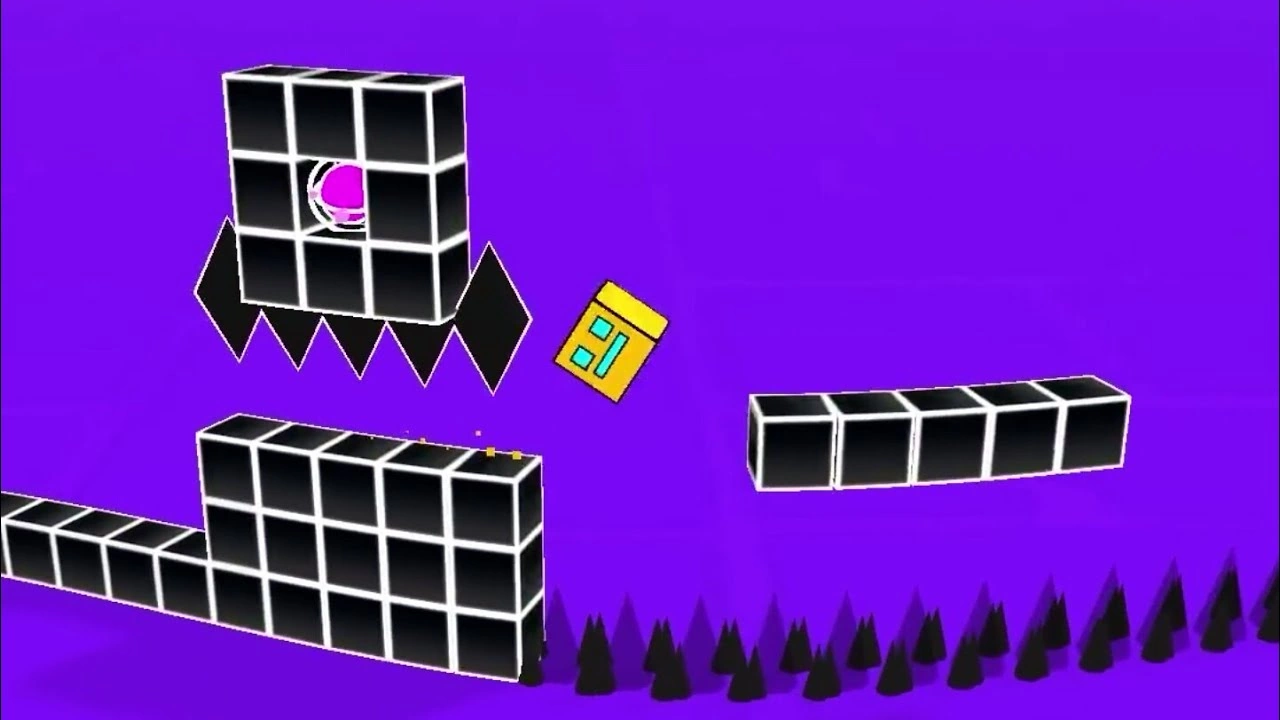
Geometry Dash 3D: The Next Evolution of the Free Online Rhythm Platformer
Remember the frustration of tiny jumps in the original Geometry Dash? That 2D world kept you on edge with every spike and portal. Now picture that same rush, but stretched into full 3D space. Geometry Dash 3D takes the classic free online game and adds layers of depth that change everything. You still chase the beat, but now you dodge hazards from all angles. This new version hits browsers everywhere, pulling in old fans and fresh players alike. It’s the rhythm platformer you’ve waited for, free and ready to test your skills.
The Leap to Three Dimensions: What Geometry Dash 3D Brings to the Table
Geometry Dash 3D keeps the heart of the series intact. You jump, fly, and time your moves to pulsing music. But the third dimension flips the script on how you play.
Core Gameplay Mechanics Reimagined
Jumps no longer stay flat. In this free online Geometry Dash game, you leap over gaps that twist in 3D. Dodging spikes means judging distance forward and back, not just up and down. Flying sections pull you through tunnels where walls close in from the sides. Perspective shifts hit hard—sudden camera turns force quick reads on new views. These changes ramp up the challenge, but they feel natural once you adapt. Depth tricks your eyes at first, yet they make every success sweeter.
- Jump timing now includes Z-axis pulls, like avoiding a spinning blade that juts out toward you.
- Portals rotate your path, turning a simple run into a barrel roll through space.
- Gravity flips work in all directions, so you might fall sideways into a pit.
The core stays true: sync with the track, or crash. This reimagining adds thrill without breaking what fans love.
Visual Fidelity and Art Style Evolution
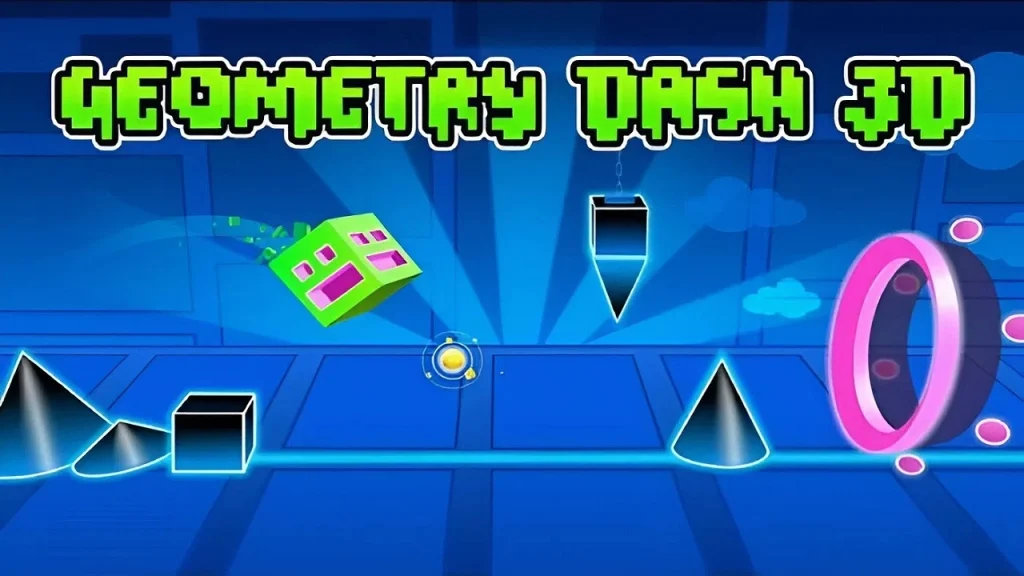
Old Geometry Dash used clean vector lines. Simple shapes popped against black backgrounds. Geometry Dash 3D steps up with shaded models and dynamic lights. Colors glow brighter, casting shadows that hint at hidden dangers. Environments feel alive—think neon-lit cubes floating in void-like voids. Yet it runs smooth on most browsers, no heavy downloads needed.
Developers optimized for web play. Low-poly designs keep frame rates high, even on basic setups. Lighting effects pulse with the music, tying visuals to the rhythm. This upgrade makes levels pop without slowing you down. You see every detail in a 3D free online game that loads fast.
- Bright particle trails mark your path, helping track speed.
- Reflective surfaces show upcoming obstacles, like a mirror warning of a wall ahead.
- Backgrounds shift in layers, adding depth without clutter.
The art style evolves but honors the roots—bold, minimal, and full of energy.
Accessibility: The “Free Online Game” Advantage
No cash up front means anyone can dive in. Past titles needed app stores or buys. Geometry Dash 3D sits right in your browser, free and instant. Play on PC, phone, or tablet with one click. This opens doors for casual gamers who skip downloads.
Cross-platform support grows the crowd. Friends join from anywhere, sharing tips in real time. Updates roll out quickly, fixing bugs without waits. As a free online rhythm game, it pulls millions who crave quick sessions. Barriers drop, so skill levels mix and match.
The web format shines for global reach. No installs mean low space use. You pause anytime, picking up later. This ease boosts daily plays, especially for short breaks.
Navigating the New Dimension: Level Design and Challenges
Levels in Geometry Dash 3D twist space in wild ways. You face not just left-right paths, but full 3D mazes synced to beats. Design focuses on that extra axis to keep you hooked.
Obstacle Placement in Z-Axis Space
Hazards now pop from depth. A laser might sweep forward as you run, demanding a backward lean at the right beat. Platforms hover at angles, so mistime, and you clip through empty air. Tunnels force you to weave side to side while pushing ahead.
Take rotating blades in a cylinder level—they spin and extend, hitting if your timing slips. Depth-sensitive floors vanish if you don’t adjust speed. These setups test full-body awareness, even on a keyboard. The Z-axis adds layers to old traps, like spikes that thrust out on cue.
- Example: A helix ramp where walls close in, needing precise forward dodges.
- Another: Floating rings that shift position, pulling you off course in 3D.
- Tip for newbies: Watch for shadow cues on the ground to spot incoming threats.
This placement makes every section a puzzle wrapped in rhythm.
User-Generated Content (UGC) in 3D
Creators get new tools to build wild worlds. In 2D, levels stayed linear. Now, editors let you stack objects in depth, crafting loops and spheres. It’s tougher—aligning parts in 3D takes practice, but results stun.
Community levels explode with ideas. One might mimic a rollercoaster through stars. Tools include depth sliders and rotation locks for stable builds. Sharing stays easy, upload and play worldwide.
The shift sparks creativity. Builders experiment with impossible angles, like upside-down chases. Free access means more uploads, flooding servers with fresh content. You find endless variety, from easy intros to nightmare runs.
- Basic tool: Layer system to place items front or back.
- Advanced: Physics tweaks for custom gravity zones.
- Community hit: A viral level with mirrored worlds that flip mid-run.
UGC keeps Geometry Dash 3D alive and growing.
Difficulty Scaling and the Skill Ceiling
The third dimension hikes the bar. What was hard in 2D gets brutal with depth misreads. Levels rate by 3D complexity, like “axis flips” or “perspective count.”
New metrics track Z-moves and recovery times. Beginners start with guided paths. Pros chase flawless runs through chaos. This scaling lets all players push limits.
Skill ceilings soar—mastering one level unlocks brain-bending ones. Practice modes break down sections, focusing on depth jumps. The game rewards patience, turning rage quits into triumphs.
Essential Strategies for Mastering 3D Geometry Dash
Beating Geometry Dash 3D takes smart habits. Focus on senses and setup to nail those tricky spots. Let’s break it down with real tips.
Mastering Depth Perception and Timing
Your eyes fool you at first in 3D space. Practice judging gaps by feel, not guess. Rely on steady frames to spot patterns quickly.
Start slow—use speed sliders to half-time sections. Focus on Z-inputs alone, like pulling back from a protruding wall. Over time, your brain clicks, making full speed natural.
- Tip 1: Pause and study obstacle paths before attempts.
- Tip 2: Mark mental beats for depth changes, like a bass drop signaling a tunnel.
- Tip 3: Replay crashes to see where the depth tricked you.
These steps build muscle memory fast.
Optimizing Settings for Peak Performance
Lag kills rhythm games. Tweak graphics down for buttery input. Aim for 60 FPS minimum to feel every beat.
Lower shadows if your rig struggles—clarity trumps flash. If FOV options exist, widen them slightly for better overviews. Test in calm levels first.
- Set the resolution to match your screen, and avoid upscaling blur.
- Disable extras like bloom if they cause stutters.
- Bind keys close for quick Z-axis taps, like W for forward lean.
Clean settings mean precise control.
Leveraging the Soundtrack for Input Cues
Music drives it all. Beats stay your guide, even as visuals whirl. Train ears to catch shifts that match moves.
Headphones block noise, sharpening downbeats. Sync jumps to snares, dodges to rises. Audio cuts through 3D confusion.
- Listen for echoes signaling depth traps.
- Hum patterns during breaks to lock them in.
- Mute visuals mentally—close eyes on easy parts to test ear reliance.
Sound keeps you on track.
Community Reception and Future Trajectory
Players buzz about Geometry Dash 3D since its drop. Forums light up with shares and rants. It’s fresh meat for streamers in early 2026.
Initial Player Feedback Analysis
Most love the visual punch—neon depths wow on first play. Mechanics feel new, like flying through beats. But the curve steepens; many gripe about control tweaks.
Streams spike 40% in the first month, per Twitch stats. Positive vibes hit 70% on Reddit polls. Pain points? Keyboard Z-moves feel clunky on touch screens. Devs patch quickly, smoothing edges.
Feedback shapes it—users vote on level packs. Engagement soars with daily challenges. The free online setup draws crowds, boosting talks.
Potential for Competitive Play and E-Sports Integration
Speedruns get wild in 3D. Leaderboards track total axis shifts and recoveries. Clips show insane depth saves.
Tourneys could rise with replay tools. Standard recordings ensure fair play—no hidden cheats. Pros adapt fast, setting records under a minute for hard levels.
E-sports potential brews. Imagine brackets for custom 3D maps. Community pushes for it, with fan events already popping.
Conclusion: The Geometry Dash Legacy Continues to Expand
Geometry Dash 3D builds on a strong base, adding depth that refreshes the rush. Core jumps and beats endure, now with spatial twists that challenge and delight. From free browser access to endless user levels, it invites everyone to join the fun.
This evolution keeps the franchise kicking. It honors simple roots while pushing boundaries. Dive into Geometry Dash 3D today—grab your beats, master the dimensions, and see how far you fly.







Leave a Reply